SIM Development
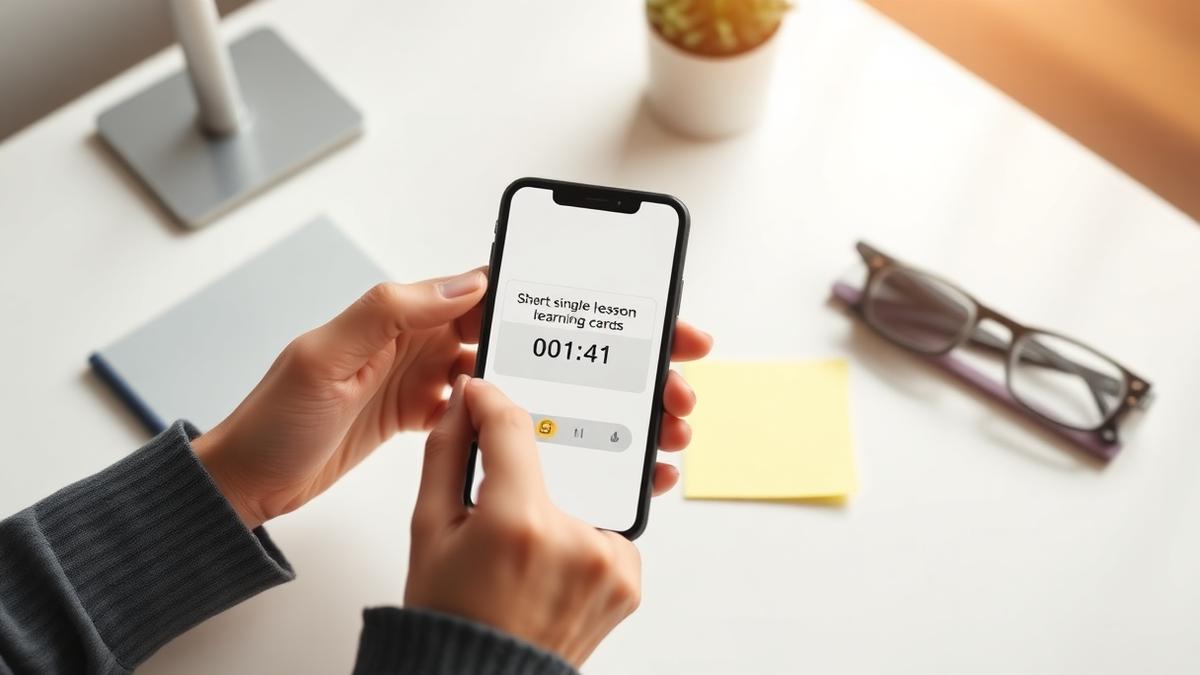
Phone showing a short lesson with a self-check question

Part 1

Nano-SIM

Key question: Can a learner reach one outcome, completely, in a single 15-minute sitting on their phone?

Definition

A complete, self-contained learning experience delivering one learning outcome, consumable in one short sitting of 10–20 minutes.

It typically spans one or two topics — but the outcome, not the topic count, is the boundary. If the outcome needs an “and”, you have two Nano-SIMs.

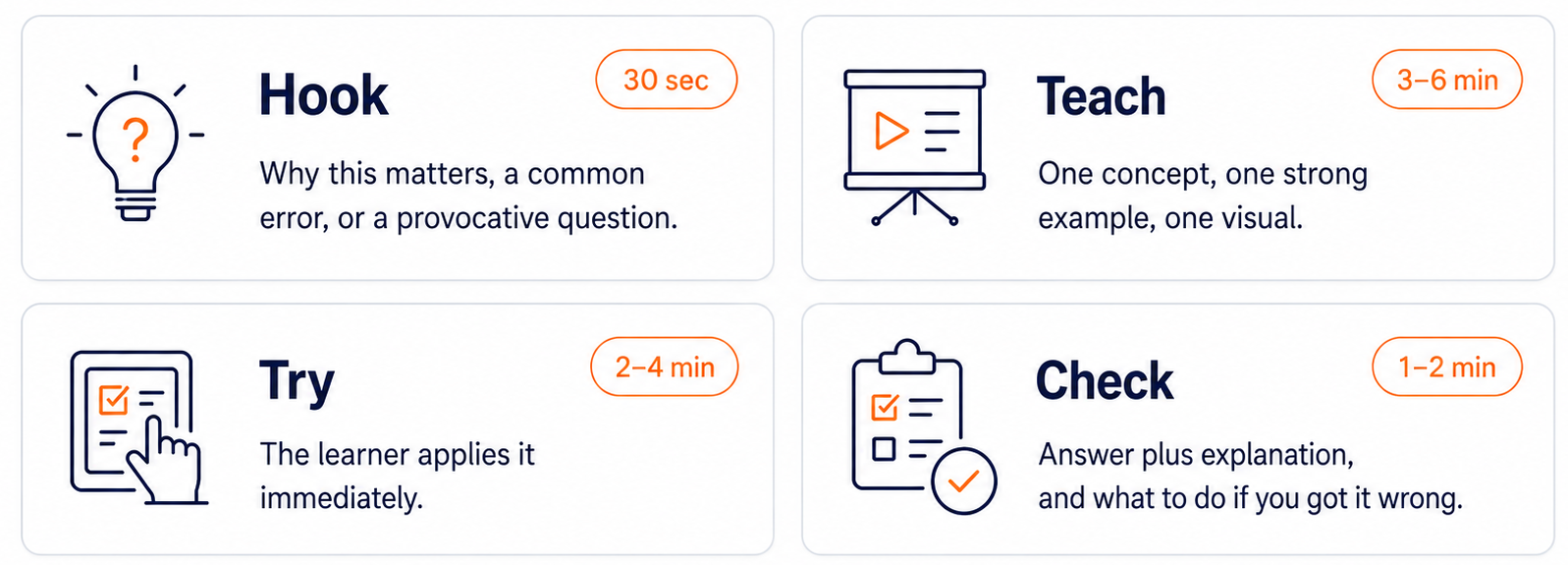
Structure: Hook → Teach → Try → Check

Nano-SIM structure: Hook (30 sec), Teach (3–6 min), Try (2–4 min), Check (1–2 min)

Segmenting and signalling (Mayer) [1]: short chunks, cue what matters, cut decorative clutter. Assume mobile-first — most Nano-SIMs are consumed on phones between classes.

The 7-step Nano-SIM build recipe

  1. 1

    Pick the pain point

    Where do students repeatedly ask questions, fail quiz items, or email you? That is your topic.

  2. 2

    Write ONE outcome

    “By the end, you will be able to ______.” One verb, no “and”.

  3. 3

    Draft the Check first

    Write the self-check question and its feedback before the content. If you can't write the question, the outcome is too vague.

  4. 4

    Script the Teach

    300–500 words max, conversational voice (“Now, look at what happens when…”), one strong example, one visual.

  5. 5

    Design the Try

    The smallest possible application task: one calculation, one sentence to fix, one item to classify.

  6. 6

    Add the Hook

    One sentence: a common error, a surprising fact, or “you'll need this for the exam/clinic/lab”.

  7. 7

    Produce & test

    Build in the simplest tool that works, then ask one student to try it and time it. Over 20 minutes? Split it.

STEM and non-STEM Examples

 STEM exampleNon-STEM example
TopicBalancing redox equations (chemistry)Distinguishing paraphrase from patchwriting (academic writing)
Hook“This one skill accounts for 40% of lost marks in Test 1.”“Most plagiarism cases we see are accidental — here's the trap.”
Teach5-min narrated worked example, one equation, one common error highlighted4-min screencast comparing a source text with two rewrites — one acceptable, one not
TryLearner balances one new equationLearner labels three rewrites: paraphrase, patchwriting or quotation
CheckAuto-marked answer plus a video of the worked solutionInstant feedback per item explaining why

Other quick pairings: reading a boxplot (statistics) ↔ analysing a primary source (history); serial vs parallel circuits (engineering) ↔ subject-verb agreement (language); interpreting an ECG trace (medicine) ↔ calculating break-even point (business).

Pitfalls and time-savers

Do this

  • Repurpose, don't re-record: cut a 5-min segment from an existing lecture recording, then wrap it with an outcome, a try-task and a self-check.
  • Use the tutorial voice trick: write as if emailing one struggling student, not addressing a hall.
  • Batch production: script 3–4 Nano-SIMs in one sitting and record them back-to-back — setup time is the killer, not recording time.

Never do this

  • Never cram a whole lecture into 20 minutes.
  • Never publish video with no activity — that's a clip, not a SIM.
  • Never leave the self-check without feedback.
  • Never write in textbook voice instead of tutorial voice.

Useful Prompt: draft a Nano-SIM (10 min)

Nano-SIM planner prompt — paste into your AI assistant with your slides attached

Best in One concept from a course you teach

NANO-SIM PLANNER PROMPT

Using the attached slides, notes or teaching material, identify ONE concept that can be turned into a 10–20 minute Nano-Sim.

Complete the planner below. Keep the focus narrow and practical.

TOPIC:

SINGLE LEARNING OUTCOME:
"By the end, the learner will be able to ______."
Use one action verb only.

HOOK:
One sentence showing why the concept matters.

TEACH:
What single example, visual or explanation from the material will you use?

TRY:
What exactly will the learner do?

CHECK:
Question/task:
Correct answer:
Feedback:

FORMAT & TOOL:
e.g. H5P, interactive slides, video, infographic or one-pager

ESTIMATED LEARNER TIME:
10–20 minutes only.

Base your response on the attached material and refer to the relevant slide or section where useful.

Share-back in 60 seconds each: read your outcome aloud and let the room spot the hidden “and”. Scoping is where Nano-SIMs succeed or fail.

Rapid feedback is given against the five non-negotiables: outcome, tutorial voice, active responding, feedback, self-pacing.

Nano-SIM in practice: a worked example

A live LMS unit built as stacked Nano-SIMs: materials, activities and self-evaluation are separated so each chunk teaches, lets the learner try, then lets them check.

Example Nano-SIM video

This video uses Google Vids + NotebookLM videos as a Nano content.

Quick tool mentions

  • H5P : interactive video, drag-and-drop and self-check objects that drop into most LMSs
  • PowerPoint + narration : fastest route from existing slides to a narrated Nano-SIM
  • Canva : one-pagers, interactive infographics and short video edits
  • Genially : clickable interactive visuals when a static graphic isn't enough
  • NotebookLM (Gemini Notebook) : turn your own readings and notes into briefing docs, audio overviews and self-check questions grounded in your sources
  • Your LMS quiz tool : the cheapest auto-marked Check with instant feedback

References

  1. [1]Mayer, R. E. (2021). Multimedia Learning (3rd ed.). Cambridge University Press.
  2. [2]Sweller, J., Ayres, P., & Kalyuga, S. (2011). Cognitive Load Theory. Springer.
  3. [3]Rowntree, D. (1990). Teaching Through Self-Instruction: How to Develop Open Learning Materials (rev. ed.). Kogan Page.
  4. [4]Guo, P. J., Kim, J., & Rubin, R. (2014). How video production affects student engagement. Proceedings of ACM L@S 2014, 41–50.